Skip to content

Give creative work
a proper review.

Share one link so clients can review posts, images, videos, and websites. Their feedback and approvals stay with the version they reviewed.

Start freeNo client account neededDecisions saved by version
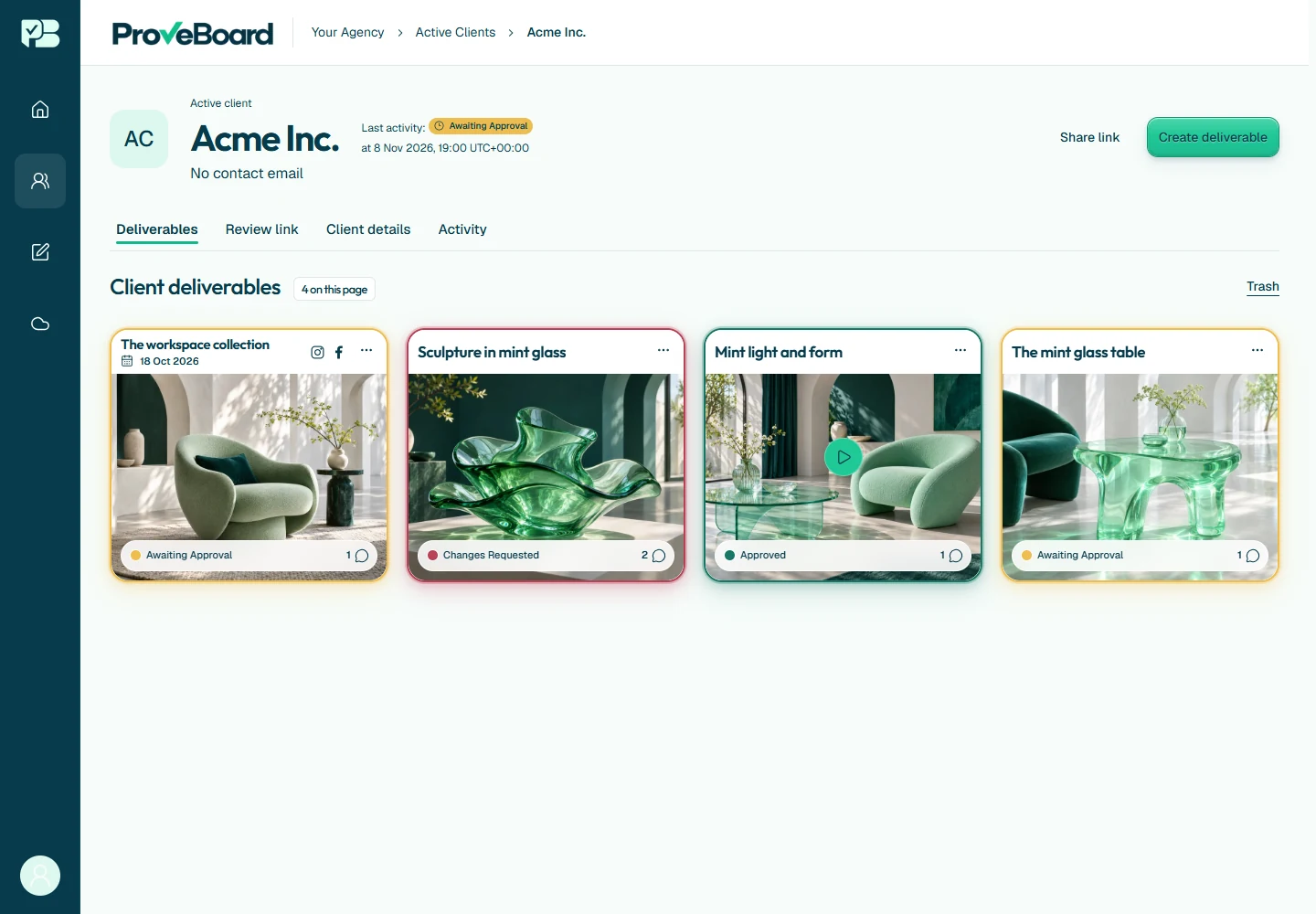
ProveBoardAgency workspace
Agency workspace on desktop
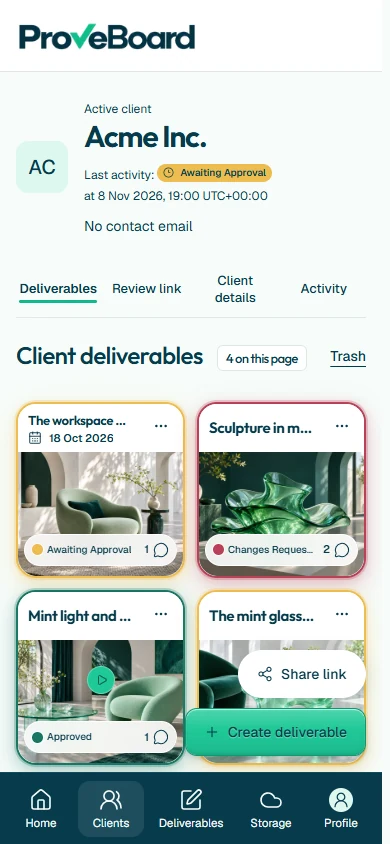
Agency workspace on mobile

Drafts stay privateShare when you’re ready.

All the contextRight beside the work.

Prepare privatelyShare one linkGet feedbackKeep version history

What your clients
actually see.

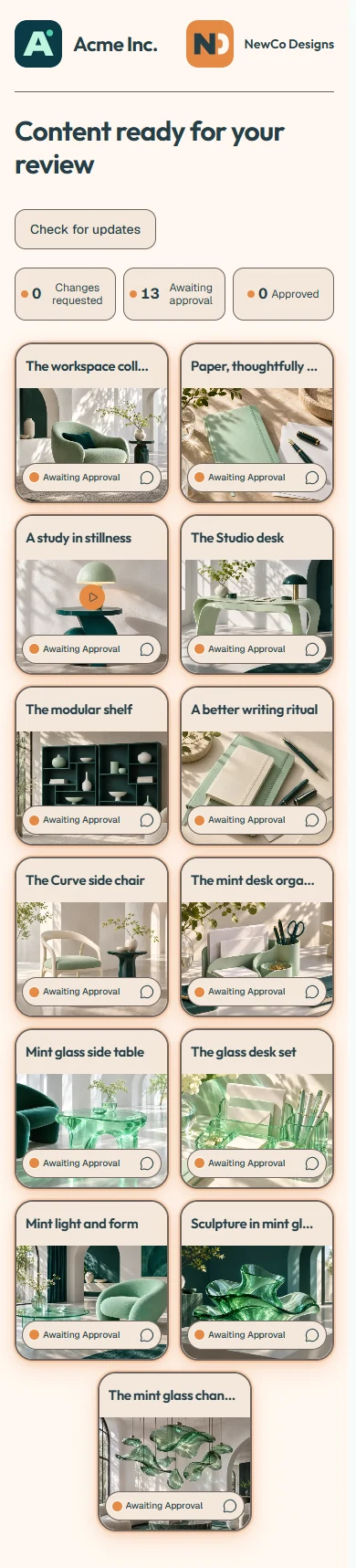
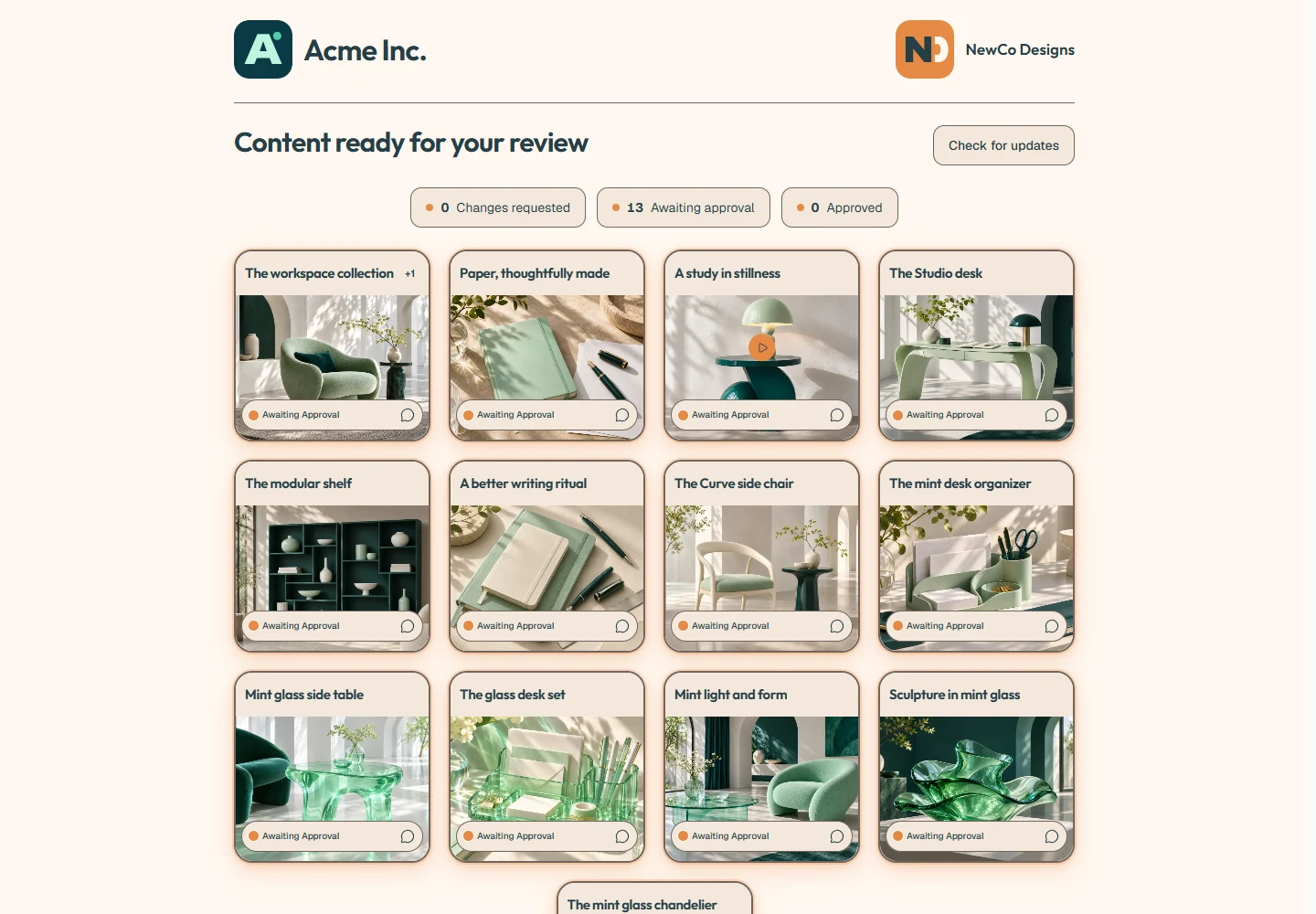
Create one review link for each client. They can return to the same dashboard to see new work, leave feedback, and approve without signing in. Use your logo and brand colors so the dashboard feels like part of your agency.
Try it yourself

Client review for the Acme Inc. sample campaign

Try it with your own work. Create your free workspace

Know what’s waiting

See private drafts, pending reviews, change requests and approvals on each client’s board.

Keep feedback with the work

Clients see the captions and creative together. Their comments stay beside the work, so your team knows what each note refers to.

Know exactly what got approved

Save revisions privately, resubmit when ready, and keep the decision and conversation attached to each submitted version.

From first draft to approved.

Watch the Acme team submit a first version, respond to feedback, and get the revision approved.
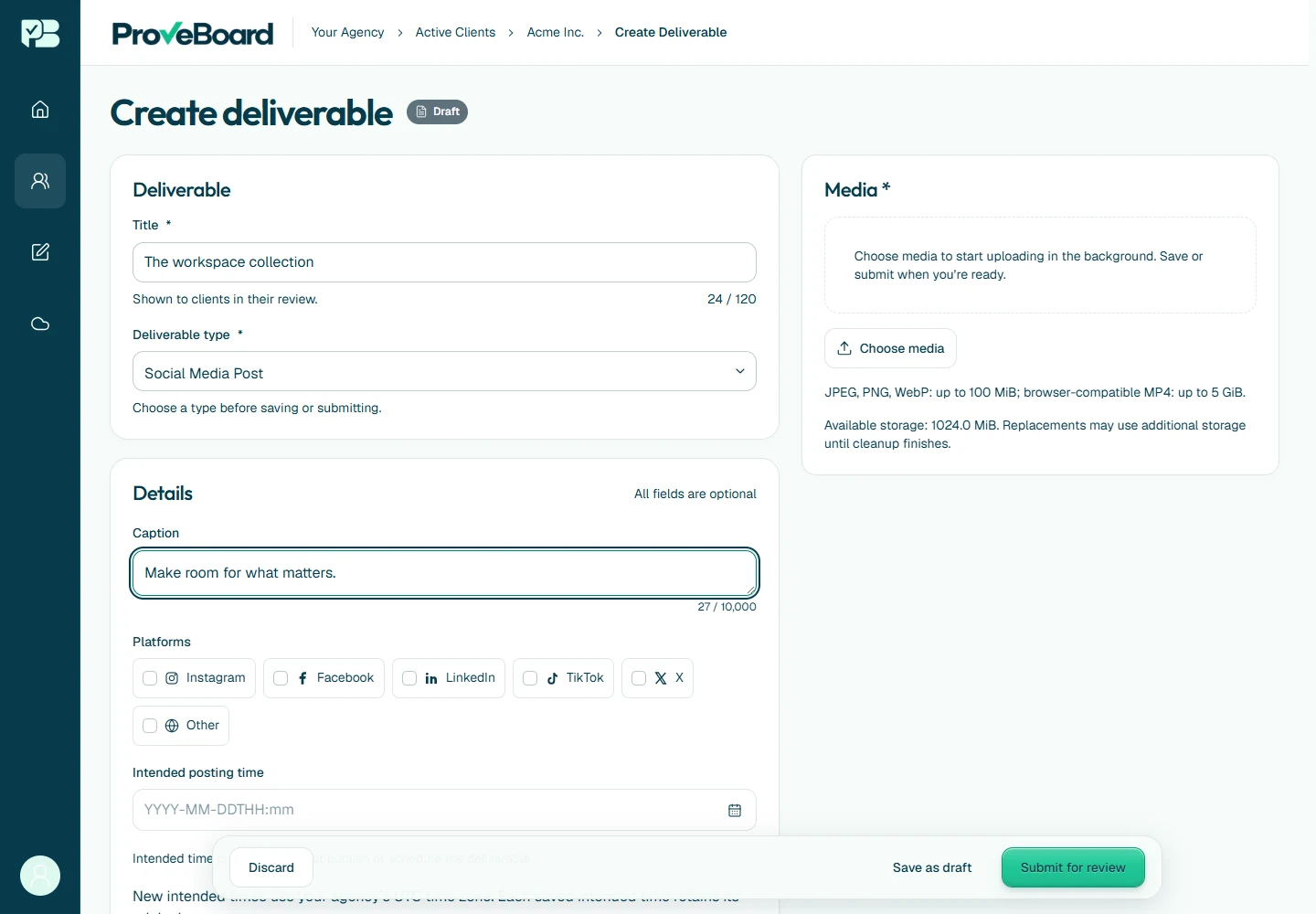
ACME INC. / THE WORKSPACE COLLECTION
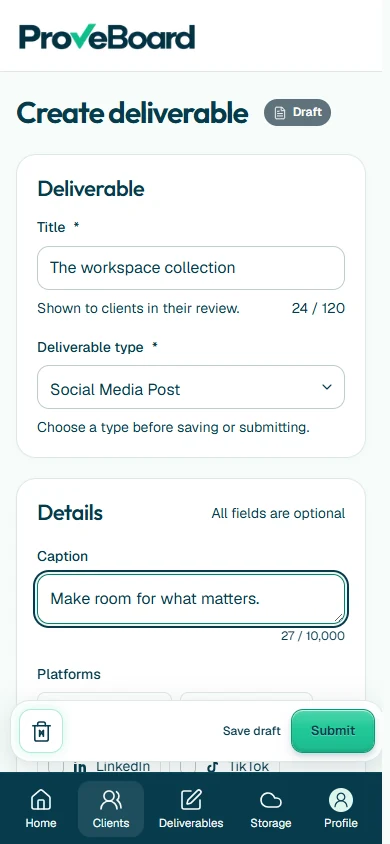
The ProveBoard deliverable editor on desktop
The same deliverable editor on mobile
0:00 / 1:00
Start with a private draftAdd the creative, caption and context to a deliverable on your client’s board.
Read the video transcript
  1. Create Maya is getting Acme’s workspace collection ready. She creates a private draft and adds the caption and creative.
  2. Share Once the first version is ready, Maya submits it for review and sends her client a single link.
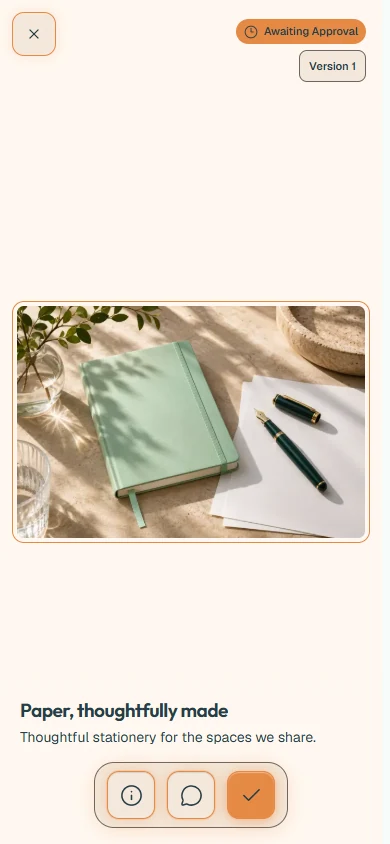
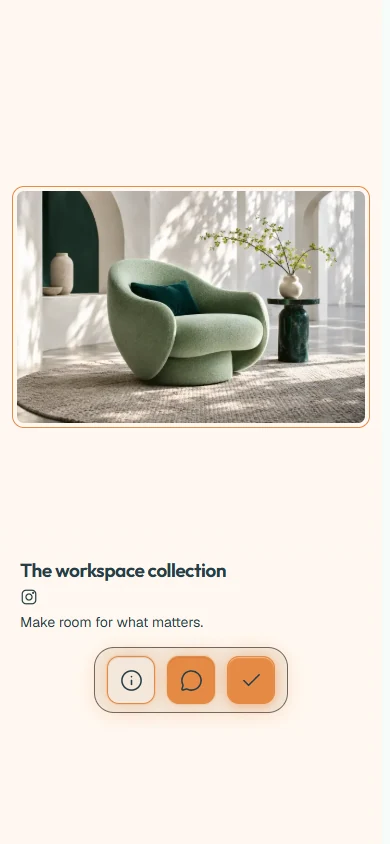
  3. Review The client opens the link on her phone. She taps the work, then swipes up to see the next deliverable.
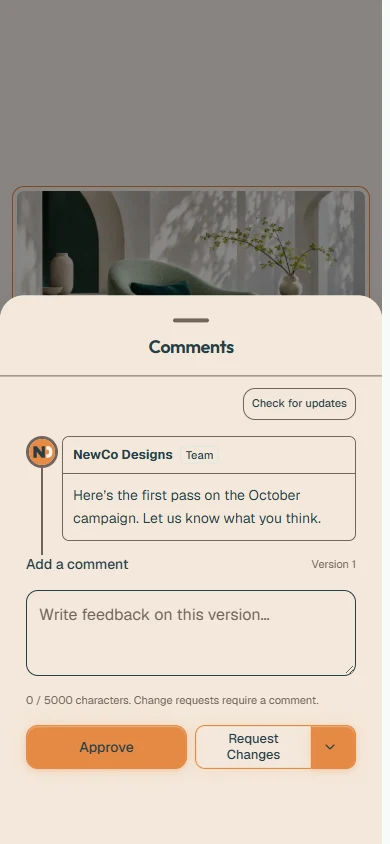
  4. Feedback She opens Comments and types a note. Could we give the image more space? The feedback stays with version one.
  5. Revise Maya reads the feedback, makes her edits and submits version two. The original version and its discussion stay in history.
  6. Approve The client checks the new version and approves it. Now both sides can see which version got the final yes.
Acme's mobile review board
01 · Browse the board
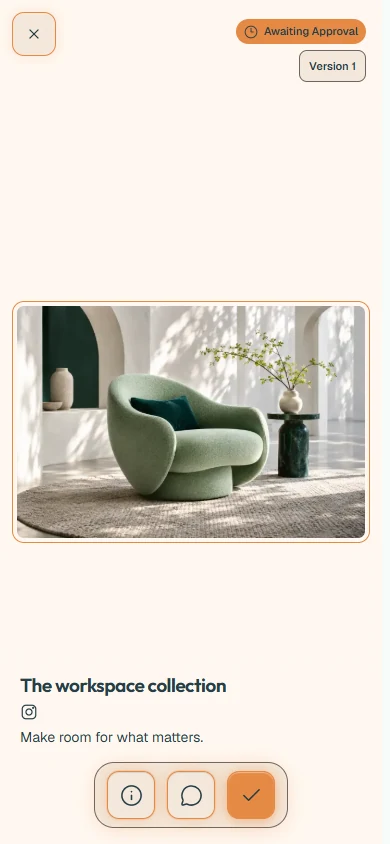
Full-screen media viewerNext deliverable after swiping up
02 · Swipe up to review
Deliverable with a Comments button
Comments drawer open over the deliverable
03 · Open Comments
Ready wherever clients are

Fits their

Clients can open the review link on their phone and see what’s ready for them.

Swipe up to review the next item without going back to the dashboard.

Clients can leave feedback on the version they’re viewing. Your team can find it when preparing the next one.

Try the phone view

New version.
Same conversation.

Compare submitted versions side by side. Each version keeps its own feedback and approval history.
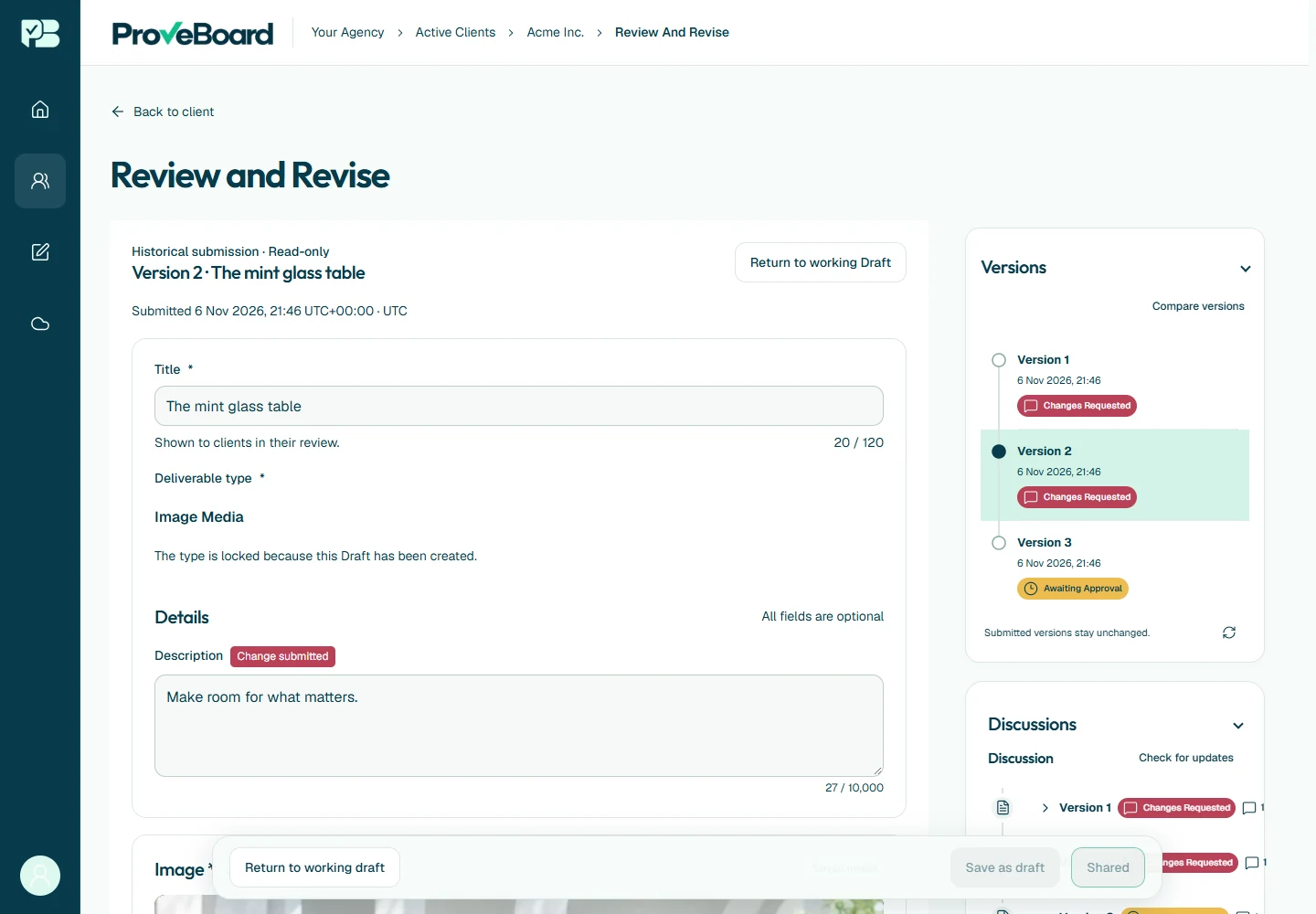
Version 2 selected, with Changes Requested and submitted changes visible

Plans

A plan for your client workload.

Choose a plan for the clients you work with and the media you store.

Free

For your first client approval workflow.

Free tier

1 active client


What’s included

  • 1 GiB account storage
  • Private client review links
  • Four deliverable types
  • Comments and feedback
  • Version-specific approvals
  • Approval status tracking
Start free

Solo

For independent content professionals.

Pricing pending

10 active clients


What’s included

  • 20 GiB account storage
  • Private client review links
  • Four deliverable types
  • Comments and feedback
  • Version-specific approvals
  • Approval status tracking

Agency

For a larger roster of client work.

Pricing pending

50 active clients


What’s included

  • 100 GiB account storage
  • Private client review links
  • Four deliverable types
  • Comments and feedback
  • Version-specific approvals
  • Approval status tracking

Free signup is available. Solo and Agency allowances are shown for comparison; paid signup is currently closed.

Frequently asked questions

Make room for
the next yes.

Send your next client review with one link.

Create your free workspaceClients review without an account.